Most dark themes compete with your code — a neon side bar here, tinted tabs there, a status bar that thinks it belongs to the syntax. Monobrain Pro takes the opposite bet: the entire workbench shares one quiet near-black monochrome, separated only by translucent hairline borders, and every drop of color is spent where it earns its keep — inside the editor.

One rule, applied 250+ times: the workbench is furniture, the code is the show. Chrome stays monochrome; only syntax gets color.
What makes it calm
- Calm neutral UI — activity bar, side bar, tabs, status bar, and panels share a quiet near-black monochrome palette with translucent hairline borders. Only your code pops.
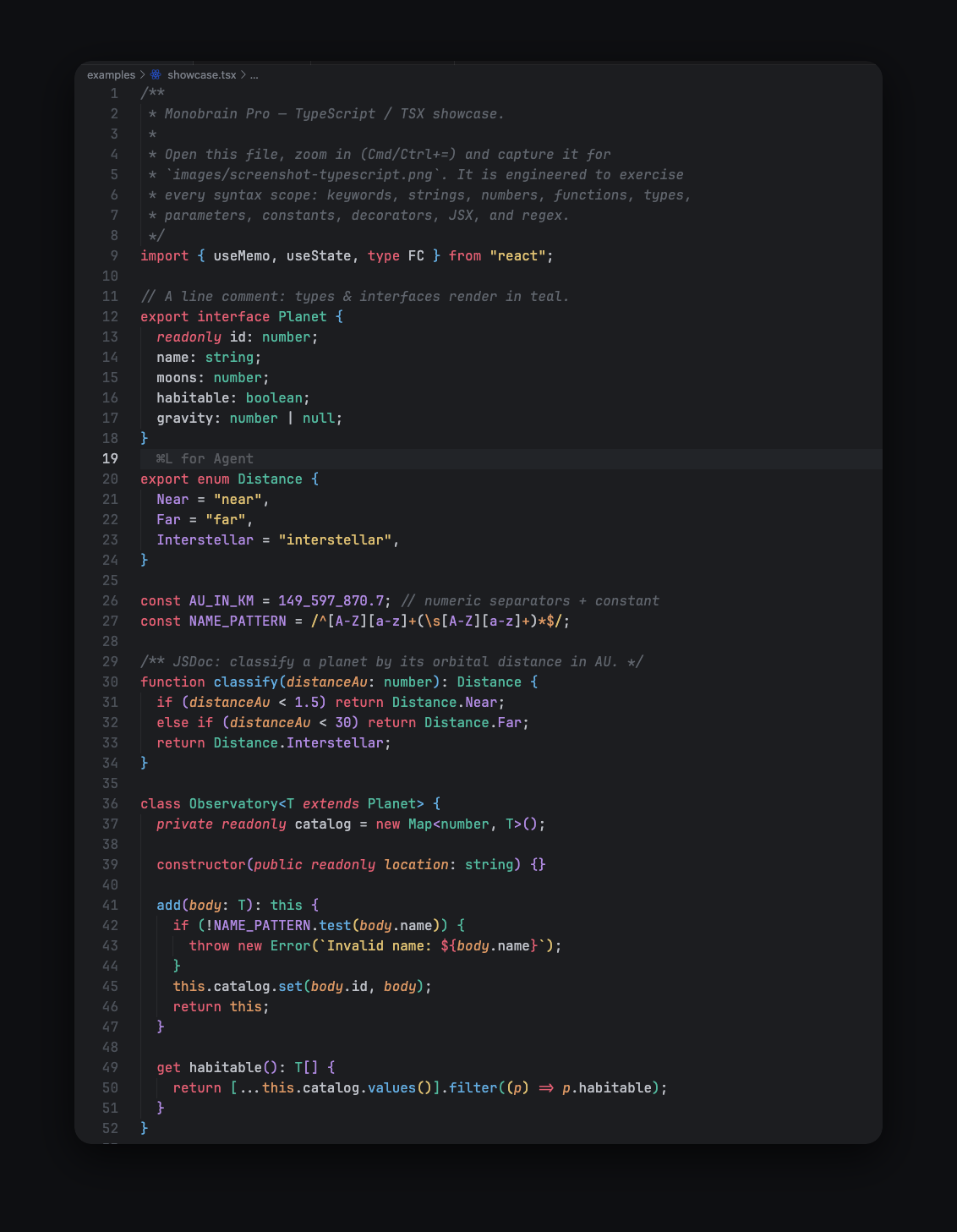
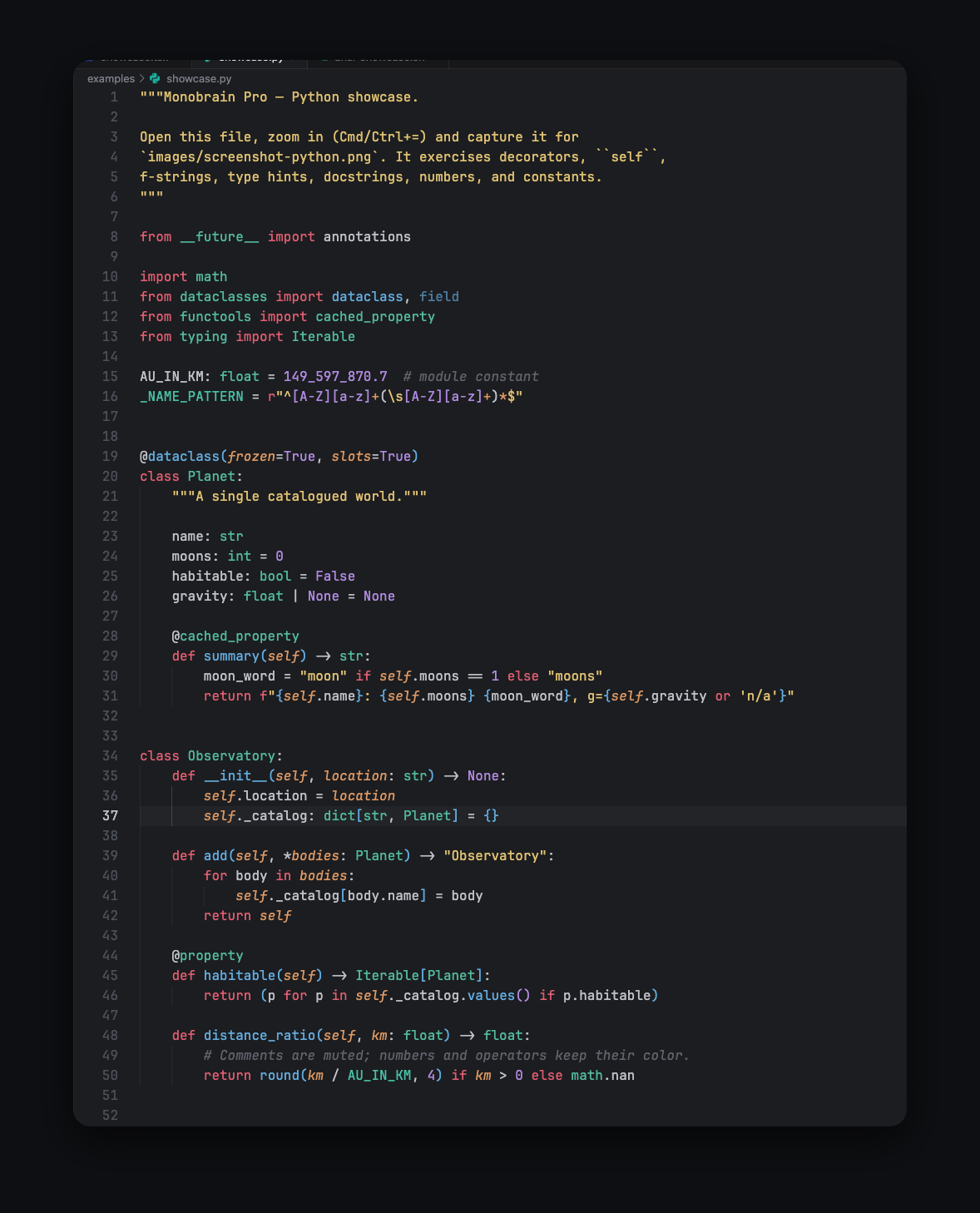
- Refined vivid syntax — a disciplined eight-color accent set with a clear role per hue: red keywords, yellow strings, blue functions, teal types, purple constants, orange parameters.
- Restrained typography — italics only where meaningful (comments, parameters, storage modifiers); bold reserved for markup headings. No keyword-soup italics.
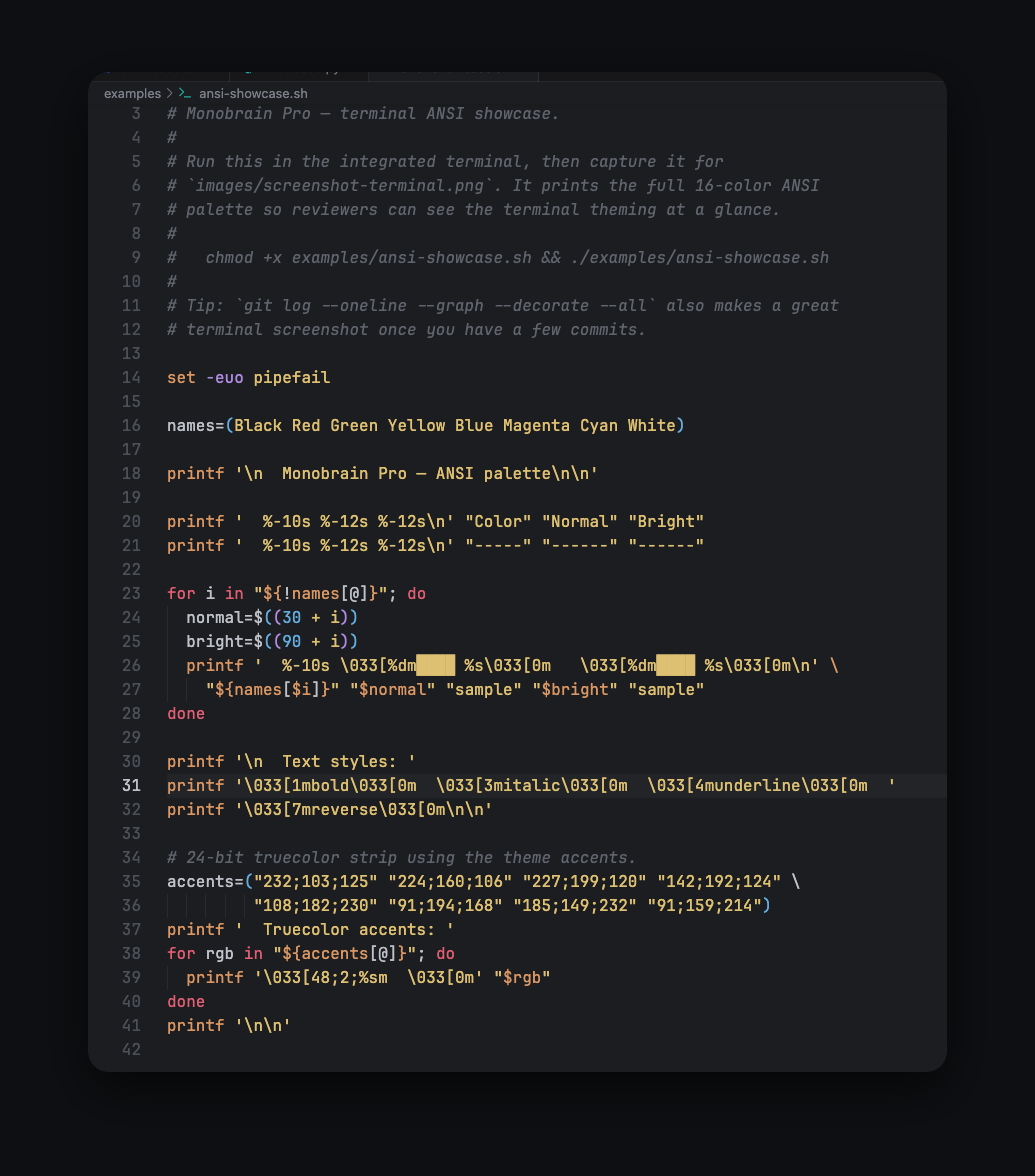
- Full terminal ANSI theming — all 16 ANSI colors defined to match the editor palette, so CLI output looks native rather than bolted on.
- Semantic highlighting — semantic token colors for language servers (TypeScript, Rust, Python, Go…) agree with the TextMate rules, so colors don’t shift when a language server kicks in.
- No-gaps workbench map — 250+ workbench colors set explicitly: find/match, bracket pair colorization, peek views, diff editor, notifications, quick input, minimap, and more.
The palette
Two layers. A canvas of three neutrals that recedes — the chrome sits a step darker than the editor, so your file is always the brightest thing on screen. Then eight accents, each owning exactly one job. The accent swatches below are rendered on the theme’s real editor background, doing the job they hold in the theme.
The canvas — three neutrals that recede
Editor background
#1e2024
Chrome background
#17181b
Foreground
#c5c8cf
The accents — eight colors, one role each
Keywords
#e8677d
Strings
#e3c778
Functions
#6cb6e6
Types & classes
#5bc2a8
Constants & numbers
#b995e8
Parameters
#e0a06a
Diff added / terminal green
#8ec07c
UI accent
#5b9fd6
Parameters render in italic — one of the few places the theme allows it, so slanted text always means something.
In the wild
Installation
VS Code
Search for “Monobrain Pro” in the Extensions view, or install from the command line:
code --install-extension d4rkwinz.monobrain-proVSCodium and Open VSX
Available on Open VSX for VSCodium and other Open VSX consumers:
codium --install-extension d4rkwinz.monobrain-proOther VS Code forks
For forks like Antigravity and Cursor, grab the .vsix from the GitHub releases page and install it from the Extensions view.
Activate
Press Cmd+K Cmd+T (macOS) or Ctrl+K Ctrl+T (Windows/Linux) and pick Monobrain Pro Dark, or set it directly:
{ "workbench.colorTheme": "Monobrain Pro Dark" }Recommended settings
None of these are required — the theme works with stock settings — but they round off the experience:
{
  "editor.fontLigatures": true,
  "editor.semanticHighlighting.enabled": true,
  "editor.bracketPairColorization.enabled": true,
  "editor.guides.bracketPairs": "active",
  "editor.cursorBlinking": "smooth",
  "workbench.tree.indent": 12,
  "terminal.integrated.minimumContrastRatio": 1
}
License
MIT, © 2026 d4rkwinz.
| Publisher | d4rkwinz |
| Category | Themes |
| VS Code engine | ^1.70.0 |